(make-object 'finite-element)
Description
This function is used to create a finite element object. Its sound properties depend on the geometry (mesh), on the material parameters (density, young's modulus , poisson ration, loss parameters) and on boundary conditions (the fixed part of the mesh). The dynamical behavior of this object is described by the modal theory: the number of requested modes can be specified by the user.
Syntax and default
(make-object 'finite-element** (key value))
(make-object 'finite-element (mesh my-mesh)
                             (block my-sub-mesh)
                             (modes 40)
                             (density 7800)
                             (young 2e11)
                             (poisson 0.3)
                             (freq-loss 1)
                             (const-loss 1))
Parameters
key Value mesh The mesh of the finite element object. This mesh can be obtained using the function make-mesh and the Modalys's mesh tools: duplicate, transform. For the time being, Modalys is able to deal with only one type of finite element: hexahedra. Thus, the user must give here a mesh which contains only hexahedras. In the future, extensions will be made to extend the types of handled finite elements (tetrahedras, beams, plates etc) block The part of the mesh to be constrained. A part (or all) of the surface of the finite element mesh (points, edges or plane) can be fixed during the sound synthesis. The dynamic behavior of an objet (and thus its sound) can be completly different depending on the definition of this fixed topology. This sub mesh can be defined using the function make-mesh 'restrict. . . . key Value modes This value determines the number of modes of vibration computed in the simu- lation of the object. As this number is increased, higher partials are added to the resultant sound. Thus, if ten modes are declared, the lowest ten frequencies pro- duced by the vibration of the object are computed (see funcnamecompute-modes). Maximum detail is obtained when the number of modes is high enough so that all frequency below the Nyquist frequency are accounted for. density Density of the material in kg/m^3^. Some typical values are
+-----------------------+-------------+-----------------+-------------+
|   Oak                 | 720         | Brass           | > 8500      |
+:======================+=============+=================+:============+
|   Glass               | 2300        | > Nickel        | > 8800      |
+-----------------------+-------------+-----------------+-------------+
|   Quartz              | 2650        | Copper          | > 8900      |
+-----------------------+-------------+-----------------+-------------+
|   Aluminium           | 2700        | > Silver        | > 10500     |
+-----------------------+-------------+-----------------+-------------+
|   Steel               | 7700        |                 |             |
+-----------------------+-------------+-----------------+-------------+
Example
Define a mesh named my-mesh to declare a finite element object (see make-mesh, duplicate)
(define my-mesh (make-mesh 'single-point (vector 0.1 0 0)))
(duplicate 'translation my-mesh 1 (vector .013 0 0))
(duplicate 'rotation my-mesh 10 (vector 0 1 0) (vector 0 0 0) 6 )
(duplicate 'rotation my-mesh 59 (vector 0 0.0 1) (vector 0 0 0) 6 )
(view 'mesh my-mesh)
;;;Select a part of the mesh my-mesh
(define my-sub-mesh (make-mesh 'restrict-plane my-mesh (vector 0 0 1)
(vector 0 0 0)))
(view 'mesh my-sub-mesh)
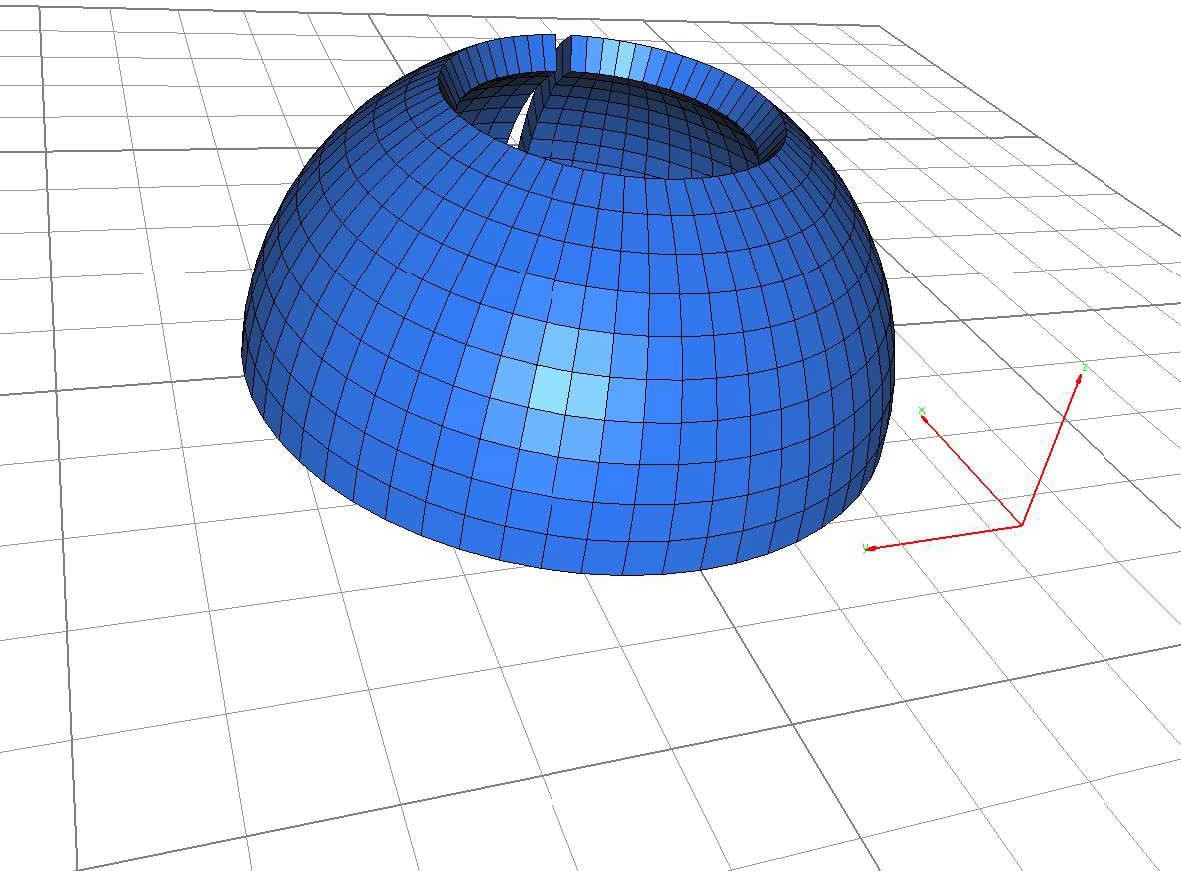
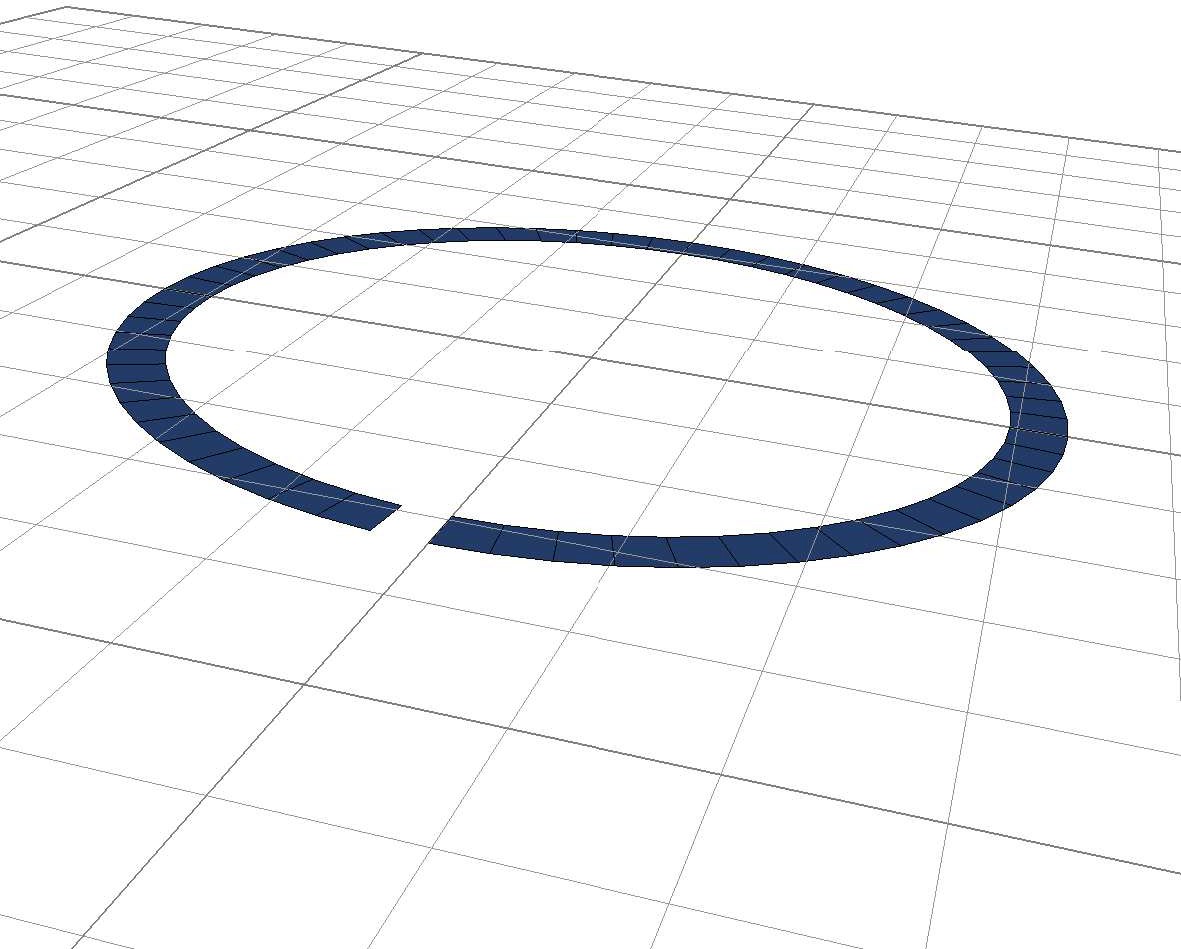
The mesh named my-sub-mesh represents the plane of equation z = 0 (the ground here) re- stricted to the mesh my-mesh
Define a finite element objet using the mesh my-mesh, block the sub mesh my-sub-mesh and ask for 30 modes (define my-fem (make-object 'finite-element (mesh my-mesh) (block my-sub-mesh) (modes 30))) (view 'object my-fem) To visualize the mesh and the sub mesh use 'c' and 'e' in the medit application (see Fig 1). Note that here the material parameters (density, young, poisson) and the losses are given by default. 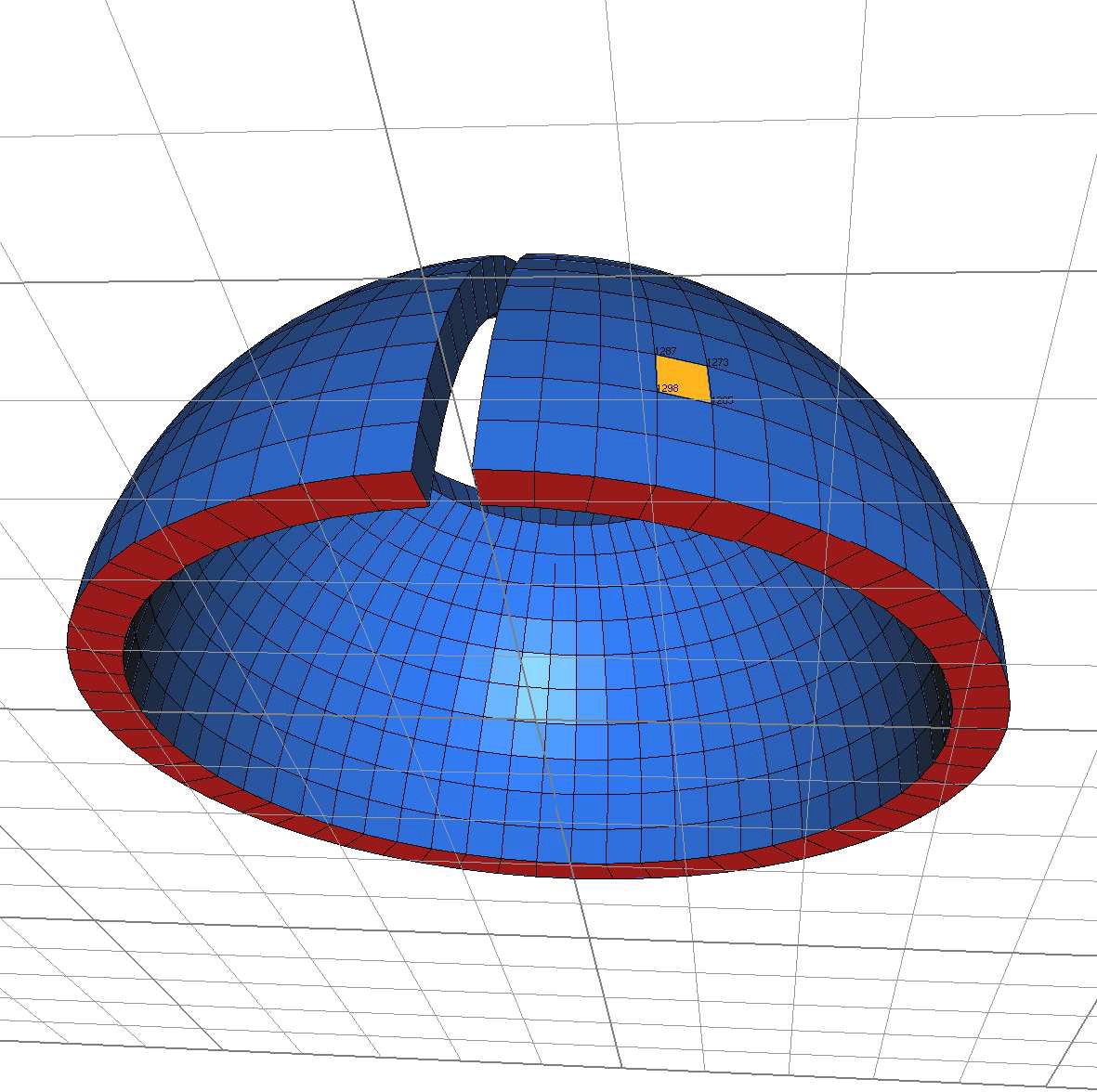 Figure 1: To obtain the number of a node, visualize the finite element object using the view 'object command and shift click the facet of interest
Notes
The function make-access (see Modalys Reference) can be used on a finite element object. Three direction can be declared: 'normal, 'trans0 or 'trans1. For example the instruction (define my-fem-access1( make-access my-finite-element (const 1298) 'normal )) make an access on the 1298th node of the finite element mesh in a direction normal to its surface. An access can be declared in the tangential direction of the surface giving two node numbers: (define my-fem-access1( make-access my-finite-element (const 1298 1285) 'trans0 )) An access is created at node 1298 in the tangent plane pointing through the node 1285. Using 'trans1 the access is still in the tangent plane but point in the perpendicular direction. To obtain a node number, see the figure 1). The medit application can return, in the console, the coordinates of the vertex involved in a facet and their numbers within the mesh: Picking result : Quad 731 : 1298, 1287, 1273, 1285 ref : 0 [DEFAULT_MAT]
+----------+----------+------------+-----------+------------+-----+-----+
| > vertex | 1298 :   | > 0.105121 | 0.034156  | 0.023494   | ref | > 0 |
+:=========+=========:+============+===========+============+====:+=====+
| > vertex | 1287 :   | > 0.102209 | 0.033210  | 0.034919   | ref | > 0 |
+----------+----------+------------+-----------+------------+-----+-----+
| > vertex | 1273 :   | > 0.098178 | 0.043712  | 0.034919   | ref | > 0 |
+----------+----------+------------+-----------+------------+-----+-----+
| > vertex | 1285 :   | > 0.100975 | 0.044957  | 0.023494   | ref | > 0 |
+----------+----------+------------+-----------+------------+-----+-----+